
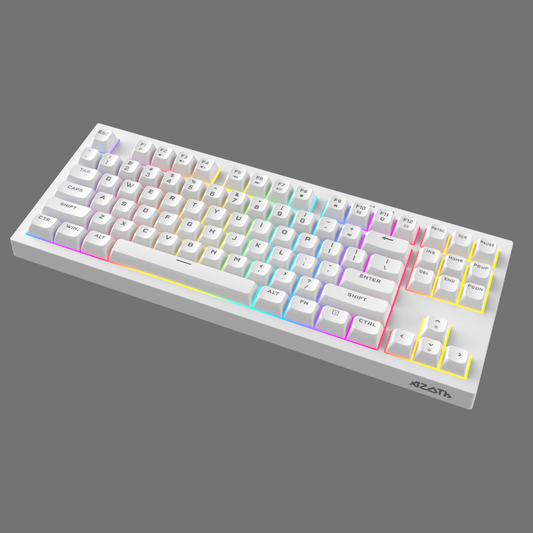

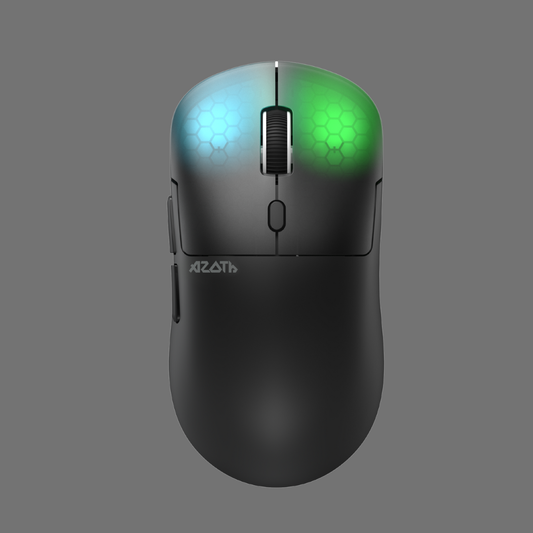

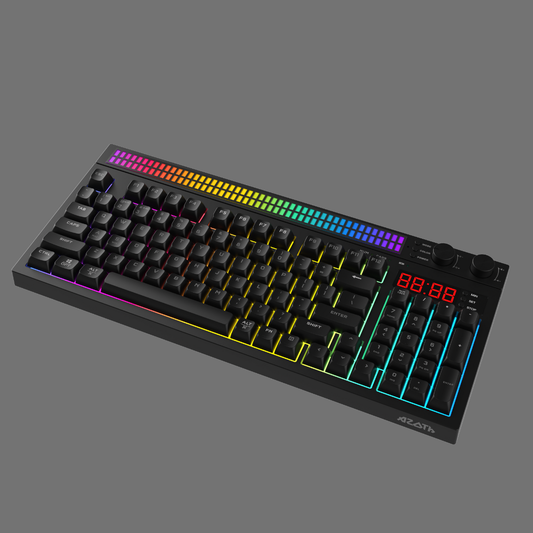


Your gaming setup isn’t just a corner of your room—it’s your personal arena. It’s where you focus, compete, create, and express your identity. A great setup fuels performance by blending comfort, function, and immersion. Whether you’re optimizing for long sessions, dialing in your lighting, or balancing your budget, the right environment can elevate your entire gaming experience.
Below, we break down hand-picked ideas, curated inspiration, and practical guidance to help you craft a setup that reflects your style and enhances your performance.
1. Minimalist Setups for Maximum Focus
Minimalist setups aren’t about having less—they’re about removing friction. With clean surfaces, intentional gear placement, and visual clarity, minimalist gaming environments create a space where distractions disappear and focus thrives.
1. Clean Whiteout Setup
A bright, all-white aesthetic amplifies mental clarity.
Pair a white desk, white peripherals, and subtle lighting to create a crisp, calming environment.
2. Stealth Black Minimalism
Black desktops and matte-finish peripherals give a premium, tactical vibe.
Ideal for gamers who want a no-nonsense, hyper-focused atmosphere.
3. Wooden Aesthetic Minimalism
A warm wood desktop brings a grounded, natural feel.
Add a low-profile keyboard and a muted color palette for a calm, balanced setup.
4. Ultra-Wide Single Monitor Setup
One large screen minimizes clutter and helps you concentrate on the task or game at hand.
Perfect for creators who want efficiency without the chaos of multi-monitor setups.
5. Floating Desk Setup
Wall-mounted shelves and hidden cable tracks create a “floating” effect.
This futuristic look keeps everything clean and visually light, ideal for small spaces.
Minimalism isn’t just a design choice—it’s a performance amplifier.
2. RGB Lighting Guides: Crafting Atmosphere and Immersion
Lighting transforms your environment instantly. For gamers, RGB is more than aesthetic—it's immersion, mood control, and identity.
Understanding RGB Zones
Break your space into three lighting zones:
-
Primary lighting: Ceiling or wall lighting that sets the general mood.
-
Desk lighting: Lamp bars, keyboard glow, and mousepad lighting influence focus.
-
Environmental lighting: Wall strips, behind-the-monitor LEDs, or under-desk lights create ambiance.
Choosing Your RGB Style
1. Gradient Effects
Soft transitions (like blues to purples) create a relaxed gaming vibe and reduce eye strain.
2. Reactive Lighting
Sync your lights with music, gameplay, or keyboard input for sensory immersion.
3. Color-Blocked Themes
Pick two or three signature colors across all your lighting—great for themed setups.
Placement Tips for Optimal Effects
-
Install LED strips behind your monitor for halo lighting.
-
Use under-desk RGB to eliminate shadows and add depth.
-
Add vertical light bars for cinematic room effects.
Lighting is the quickest way to make your space feel intentional and alive.
3. Ergonomic Principles for Long Gaming Sessions
A performance-driven gaming space isn’t just stylish—it should also protect your body during extended sessions. Ergonomics improves comfort, endurance, and reaction time.
Chair Positioning
Your feet should be flat on the ground, knees at a 90–110° angle.
Invest in lumbar support to maintain a neutral spine.
Desk Height
Your elbows should rest at a right angle while using your mouse and keyboard.
The goal is a relaxed shoulder position without reaching upward.
Monitor Placement
Your screen should be:
-
About one arm’s length away
-
With the top of the screen at eye level
This reduces neck strain and increases tracking accuracy during gameplay.
Keyboard & Mouse Optimization
Low-profile mechanical keyboards and adjustable mice help reduce wrist fatigue.
Consider wrist rests for marathon sessions—small changes improve long-term endurance.
Ergonomics isn’t optional if you’re serious about performance.
4. Setup Inspirations at Every Budget
No matter what you invest, you can build a setup that fuels performance. Here’s curated inspiration across three tiers.
Budget Setup: Clean + Functional
Perfect for beginners, students, or compact spaces.
Key components:
-
Single 1080p or 144Hz monitor
-
Compact desk with solid cable management
-
Entry mechanical keyboard
-
Affordable RGB strips
-
Minimal décor for a clean aesthetic
With smart choices, even a budget build can feel premium.
Mid-Range Setup: Balanced Performance
Ideal for gamers who want power and polish without going overboard.
Key components:
-
Dual-monitor setup or one ultrawide
-
Sturdy desk with depth and stability
-
Mid-tier ergonomic chair
-
Precision mechanical keyboard
-
RGB backlighting + accent lighting
-
Mounted monitor arms for more space
This tier offers the biggest jump in comfort and performance.
Premium Setup: The Full Experience
For creators, streamers, or gamers who want a flagship setup.
Key components:
-
High-refresh HDR monitor or dual premium screens
-
Motorized standing desk
-
Studio-grade lighting and sound
-
Fully customized mechanical keyboard
-
High-end ergonomic chair
-
Smart RGB lighting ecosystem
-
Accessories like sound panels, ambient displays, and shelving
Premium setups don’t just look incredible—they’re engineered for max performance.
Conclusion: Your Setup Is Your Power Zone
Your gaming space isn’t just where you play—it’s where you think, strategize, create, and grow. When you build a space that fuels performance, you build habits, comfort, and confidence that carry into every session.
From minimalist setups to RGB inspiration to ergonomic mastery, the right environment amplifies everything you do. No matter your budget, you can craft a desk setup that reflects who you are—and who you’re becoming.


